
Getty Images/iStockphoto
Android vs. iPhone: Which one is more secure?
Apple has built a reputation for strong device security, but reputation alone can't protect corporate data. While iOS and Android differ, mobile security comes down to management.
Android and iOS devices differ in a few ways, and security is one area where these differences affect organizations most.
The choice between iPhones and Android devices has long been an issue of debate among IT departments looking to ensure data security. To find the right security approach, decision-makers should understand the unique advantages and drawbacks of each platform.
Apple has a reputation as the most secure option due to its focus on privacy, security and end-user experience. Although Google hasn't always had the same reputation, the company has also implemented strong security measures for Android in recent years. All modern Android and iOS devices support data encryption, as well as MDM commands for enforcing passcodes and secure authentication.
The main difference between iPhones and Android devices comes down to their OS ecosystems. The iOS ecosystem is closed, meaning Apple manufactures all iPhones and has firm control over the App Store, software updates and other core services. Android, on the other hand, is an open ecosystem. Several manufacturers build Android devices with different hardware and software features, which can give way to inconsistency in update timelines and system-level security features.
This difference shapes each platform's approach to three key factors in mobile security: device management, OS updates and malware.
Apple device security
From a broad standpoint, Apple builds iPhones from the ground up with privacy and security in mind. Because its strategy centers on tightly integrated hardware and software control, it's easier for the company to enforce consistent security standards. However, this doesn't guarantee a threat-free endpoint environment. IT teams should examine iOS security features in more detail to determine how they might affect their organizations.
Key security characteristics
Apple has a built-in encryption system through Secure Enclave. This hardware-based security chip protects sensitive user data, even if the device's main processor is compromised.
Automated enrollment is available when organizations use MDM and Apple Business Manager. With this zero-touch enrollment approach, IT teams can easily send devices to end users. They automatically provision into management and lock themselves into that status, even after a device reset.
Device management
With Apple Business Manager, IT administrators can enforce supervision specifically on corporate-only devices. This grants them higher-level management privileges, enabling more effective device control. Additionally, features such as User Enrollment and Managed Apple IDs offer enhanced separation between work and personal data on a device.
OS updates
Apple typically rolls out iOS updates to all supported devices at the same time. This helps make sure the latest security patches, bug fixes and new features are available to users. There are many MDM tools that provide access to OS updates within the management platform, letting IT push updates to devices centrally. The centralized approach simplifies the update process and helps maintain a consistent experience across iPhones in an organization.
Malware risk
When assessing mobile malware risk, it's worth noting that Apple's closed ecosystem can contribute to a more secure environment. Apple has strict control over app distribution, and hardware limitations can significantly reduce the risk of malware infection on iPhones.
One of Apple's major safeguards against malware -- its tightly controlled App Store -- has changed in some regions due to competition laws. A requirement of the EU's Digital Markets Act is that the company must remove its sideloading restrictions for users in the EU. This could make it easier for those users to download malicious apps. However, to mitigate the possible risk, Apple has also introduced new security features, such as app notarization and authorization for marketplace developers. Plus, organizations can still disable sideloading through MDM.
In general, iOS isn't immune to threats such as phishing, spyware and zero-day exploits. IT must continue to manage attack vectors related to user behavior, access control, network vulnerabilities and more.
Android device security
The Android platform's overall strategy emphasizes flexibility and choice rather than vertical integration and centralized oversight. While this approach can make it appealing for certain use cases, it increases variability in some aspects of device security. Organizations should understand the latest Android security developments for an accurate view of possible threats and management complexity.
Key security characteristics
Unlike iOS, the Android OS is available on a wide range of devices, and Google has a lower level of control over security updates and patches within its open source ecosystem. This has raised concerns among IT admins, especially when managing centrally with MDM, which often requires additional licensing or third-party tools.
Nonetheless, Android devices have made strides when it comes to security. Google has implemented several measures that make it more difficult for hackers to break into an Android smartphone. Improvements include more extensive encryption standards and the ability to perform remote wipes. Features such as work profiles and fully managed mode in Android Enterprise also offer greater separation and protection of corporate and personal data.
Google has also implemented its own zero-touch programs, including Android zero-touch enrollment and a partner program with Samsung Knox Mobile Enrollment.
Device management
Android provides strong management functionality and offers more hardware options than Apple. This gives admins flexibility in selecting devices that suit their specific needs. Work profiles and fully managed mode for corporate-owned and BYOD use cases enable IT to separate work and personal data. The Android Enterprise Recommended program also gives IT a list of devices that Google has certified as meeting security, performance and manageability requirements for enterprise use.
OS updates
With the introduction of Project Mainline in Android 10, the process of updating essential Android system components has become more streamlined and consistent. These changes ensure that update timelines are predictable on Android Enterprise Recommended devices.
While the Android Enterprise Recommended list makes it easier to find devices with OS update commitments, there are instances where certain vendors might require additional maintenance packages or third-party tools to access upgrades over extended lifecycles.
Malware risk
Due to its open nature and broader range of devices, Android can be more susceptible to malware attacks than iOS. However, being open source makes it easier for security researchers to report issues to help patch vulnerabilities. Additionally, Google Play Protect helps keep malicious software off users' devices by continuously scanning apps for malware.
Still, if IT teams don't manage devices appropriately, higher security risks might be present on the Android platform. Blocking installations from third-party app stores or unknown sources, for example, is critical. IT must implement strict MDM policies to prevent enterprise threats.
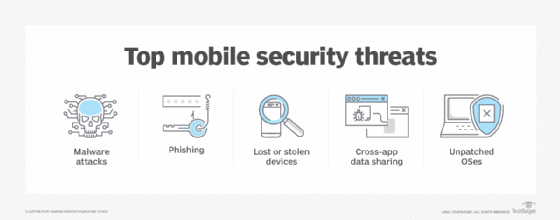
Choosing iOS vs. Android for the enterprise
Most modern devices can provide organizations with the necessary tools and features to ensure mobile security. When deciding what device is best for an organization and its end users, admins should consider what device features and capabilities are essential, as well as what the end-user experience should look like on a day-to-day basis. Then, IT should manage them centrally with MDM.
While the prevailing notion that the iPhone offers superior security carries some weight, Android's security posture has been catching up. The iPhone has several benefits for IT, such as streamlined provisioning and enhanced UX. At the same time, Android provides strong management and security controls, along with a wide range of hardware options. With proper management and the right MDM policies in place, both iPhone and Android can be highly secure.
Best practices for enterprise mobile security
Both iPhones and Android phones have their strengths and weaknesses regarding security and UX workflows. As a result, IT must put comprehensive security policies in place, regardless of the platform. An organization's device management and initiatives, such as zero-touch enrollment, are crucial in determining the device's overall security and adoption within the organization.
Understand iOS and Android security fundamentals
No matter what an organization's device fleet looks like, IT professionals should know how to handle security for both mobile OSes. Between BYOD policies and unmanaged devices on corporate networks, Android and iOS can each play a role in the potential risk of data theft or leakage.
Implement MDM
Beyond each platform's security features, how software like MDM manages devices is vital to cybersecurity. MDM tools let organizations secure their mobile devices and data through policy implementation. Organizations can then control user access to corporate applications, enforce strong password requirements, enable device encryption and more.
It's not just a question of which platform is more secure; it's a question of how each platform works with MDM tools to protect enterprise data.
Editor's note: This article was originally written by Michael Goad in September 2023. Katie Fenton updated and expanded this article in December 2025 to improve the reader experience.
Michael Goad is a freelance writer and solutions architect with experience handling mobility in an enterprise setting.
Katie Fenton is site editor for Informa TechTarget's SearchEnterpriseDesktop, SearchMobileComputing and SearchVirtualDesktop sites.